6. Localization support
tags: “domestic support”
FISCO BCOS is fully adapted to domestic servers and supports domestic platforms such as Kunpeng and Galaxy Kirin V10。The following describes the steps to compile and deploy the run chain on the Galaxy Kirin V10ARM platform FISCO BCOS source code
Installation of basic software and source code compilation
1. Update Software
yum update
2. Install basic dependencies
sudo yum update
sudo yum install -y wget curl tar
sudo yum install -y build-essential clang flex bison patch glibc-static glibc-devel libzstd-devel libmpc cpp

# Check the gcc version. If the gcc version is lower than 10, install a gcc version higher than 10
gcc -v

# Check whether the cmake version is greater than or equal to 3.14. If not, install the cmake version that meets the requirements
cmake --version
3. Pull code
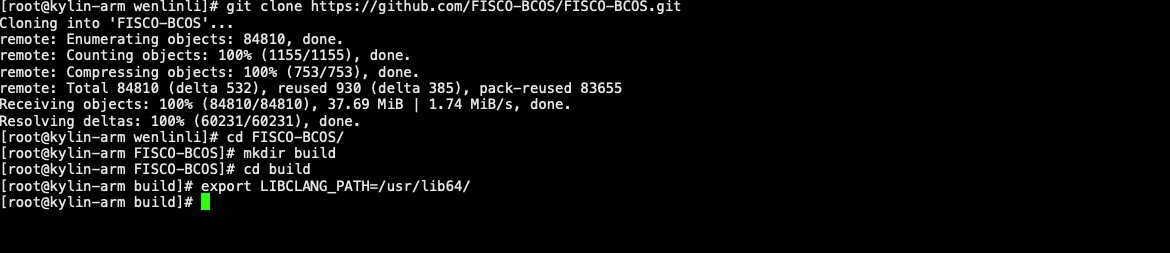
# Create source code compilation directory
mkdir -p ~/fisco && cd ~/fisco

# clone code
git clone https://github.com/FISCO-BCOS/FISCO-BCOS.git

# If the preceding command cannot be executed for a long time due to network problems, try the following command:
git clone https://gitee.com/FISCO-BCOS/FISCO-BCOS.git

# Switch to source directory
cd FISCO-BCOS

# Enter the source code compilation directory
cd ~/fisco/FISCO-BCOS
mkdir -p build && cd build

# Import clang compile file
export LIBCLANG_PATH=/usr/lib64/
4. Source code compilation
# Configure the vcpkg agent
export X_VCPKG_ASSET_SOURCES=x-azurl,http://106.15.181.5/

# Compile
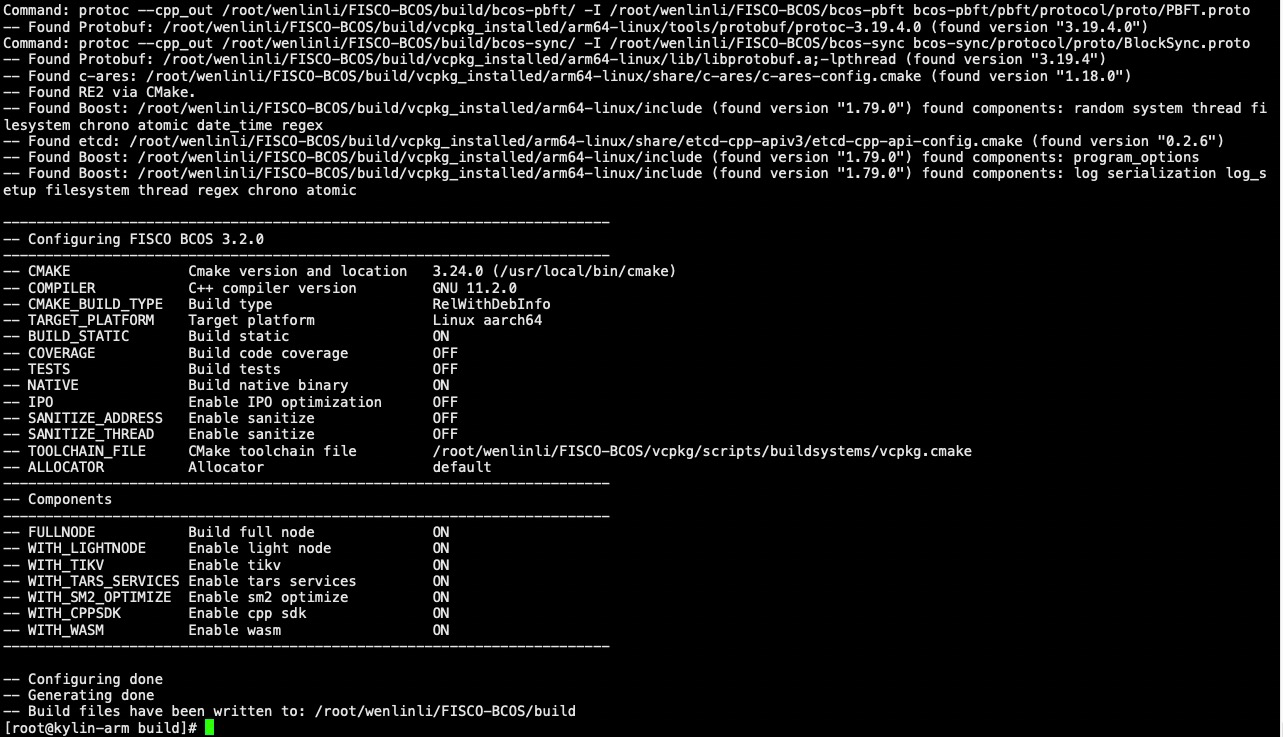
cmake3 -DBUILD_STATIC=ON .. || cat *.log

# If vcpkg fails during dependency compilation, check the error log according to the error message
# For network reasons, configure the vcpkg agent as prompted above

# High-performance machines can add -j4 using 4-core accelerated compilation
make -j4
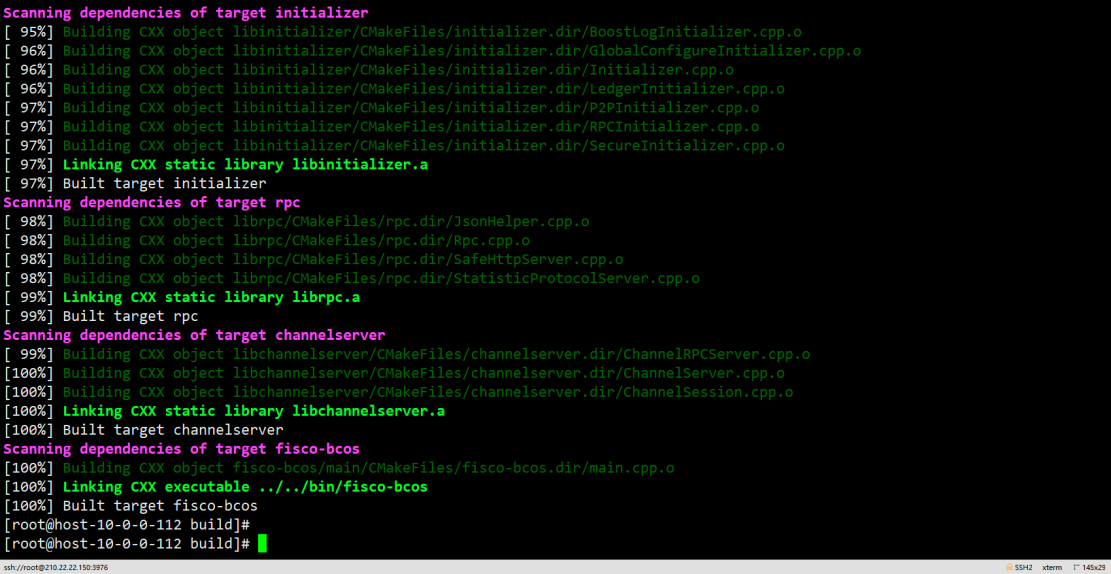
For detailed compilation, please refer to node source code compilation
Deployment Console and Deployment Contract Transactions
1. Download the one-click chain building script
curl -#LO https://github.com/FISCO-BCOS/FISCO-BCOS/releases/download/v3.6.0/build_chain.sh && chmod u+x build_chain.sh
2. Use the compiled binary deployment chain
bash build_chain.sh -l 127.0.0.1:4 -p 30300,20200 -e ../FISCO-BCOS/build/fisco-bcos-air/fisco-bcos
[INFO] Generate ca cert successfully!
Processing IP:127.0.0.1 Total:4
[INFO] Generate ./nodes/127.0.0.1/sdk cert successful!
[INFO] Generate ./nodes/127.0.0.1/node0/conf cert successful!
[INFO] Generate ./nodes/127.0.0.1/node1/conf cert successful!
[INFO] Generate ./nodes/127.0.0.1/node2/conf cert successful!
[INFO] Generate ./nodes/127.0.0.1/node3/conf cert successful!
[INFO] Generate uuid success: e273464c-827d-47ce-921f-8c16d72234b0
[INFO] Generate uuid success: b3a54d03-dadb-4cfb-9ae9-86d8ce507110
[INFO] Generate uuid success: 1bf757a5-6649-4d35-9514-d7de95ea7306
[INFO] Generate uuid success: 3c90d210-a202-4d46-a04b-89fcc8c47dd9
==============================================================
[INFO] fisco-bcos Path     : bin/fisco-bcos
[INFO] Auth Mode           : false
[INFO] Start Port          : 30300 20200
[INFO] Server IP           : 127.0.0.1:4
[INFO] SM Model            : false
[INFO] output dir          : ./nodes
[INFO] All completed. Files in ./nodes

#Start Node
bash nodes/127.0.0.1/start_all.sh
try to start node0
try to start node1
try to start node2
try to start node3
 node3 start successfully pid=36430
 node2 start successfully pid=36427
 node1 start successfully pid=36433
 node0 start successfully pid=36428
View Node Status
ps aux |grep -v grep |grep fisco-bcos

fisco        35249   7.1  0.2  5170924  57584 s003  S     2:25 p.m. 0:31.63 /home/fisco/nodes/127.0.0.1/node1/../fisco-bcos -c config.ini -g config.genesis
fisco        35218   6.8  0.2  5301996  57708 s003  S     2:25 p.m. 0:31.78 /home/fisco/nodes/127.0.0.1/node0/../fisco-bcos -c config.ini -g config.genesis
fisco        35277   6.7  0.2  5301996  57660 s003  S     2:25 p.m. 0:31.85 /home/fisco/nodes/127.0.0.1/node2/../fisco-bcos -c config.ini -g config.genesis
fisco        35307   6.6  0.2  5301996  57568 s003  S     2:25 p.m. 0:31.93 /home/fisco/nodes//127.0.0.1/node3/../fisco-bcos -c config.ini -g config.genesis
3. Deploy Console
For details, please refer to Configuring and Using Console
cd ~/fisco && curl -LO https://github.com/FISCO-BCOS/console/releases/download/v3.6.0/download_console.sh && bash download_console.sh
Note
-If you cannot download for a long time due to network problems, please try cd ~ / fisco & & curl-#LO https://gitee.com/FISCO-BCOS/console/raw/master/tools/download_console.sh
cp -n console/conf/config-example.toml console/conf/config.toml

#Configure Console Certificates
cp -r nodes/127.0.0.1/sdk/* console/conf

#Start Console
bash start.sh
=============================================================================================
Welcome to FISCO BCOS console(3.4.0)!
Type 'help' or 'h' for help. Type 'quit' or 'q' to quit console.
 ________ ______  ______   ______   ______       _______   ______   ______   ______
|        |      \/      \ /      \ /      \     |       \ /      \ /      \ /      \
| $$$$$$$$\$$$$$|  $$$$$$|  $$$$$$|  $$$$$$\    | $$$$$$$|  $$$$$$|  $$$$$$|  $$$$$$\
| $$__     | $$ | $$___\$| $$   \$| $$  | $$    | $$__/ $| $$   \$| $$  | $| $$___\$$
| $$  \    | $$  \$$    \| $$     | $$  | $$    | $$    $| $$     | $$  | $$\$$    \
| $$$$$    | $$  _\$$$$$$| $$   __| $$  | $$    | $$$$$$$| $$   __| $$  | $$_\$$$$$$\
| $$      _| $$_|  \__| $| $$__/  | $$__/ $$    | $$__/ $| $$__/  | $$__/ $|  \__| $$
| $$     |   $$ \\$$    $$\$$    $$\$$    $$    | $$    $$\$$    $$\$$    $$\$$    $$
 \$$      \$$$$$$ \$$$$$$  \$$$$$$  \$$$$$$      \$$$$$$$  \$$$$$$  \$$$$$$  \$$$$$$

=============================================================================================
4. Deploy transactions
# Obtaining Node List Information
[group0]: /> getGroupPeers
peer0: 48fde62f1d2dc59a65bed2e3bb9bd199de26de6b9894e2201199726d6e9e98d090bb1d7e22c931b412728a832ffacdd2727b34fc808f5a755af6bc623c44aba6
peer1: 8e510d66644a8a6caa7e031f097f604501bc42a3851b817f65a18eede0c539f2d011349d470da74cb84a3cf88dbd64a4cc18369fa09b17dac4eec9f65975ecc2
peer2: 9d7ff3f0d3abd54054a99d17a6af27c839f8f7702a4335bdb502323c87a0d7978534a2479cfedb614e1548a869efe038fc49da442b5770aa52c0cc793ca13602
peer3: f0ffa45cee35dcc1bcf1e1ef7b7c3d96590c25ba75198a28ef5ceb89dc6bec310619cb6850231018c8d5a5d698eaf1e5669118e17ea79379211bd332896aa56a

#Deployment contract
[group0]: /> deploy HelloWorld
transaction hash: 0x796b573aece250bba891b9251b8fb464d22f41cb36e7cae407b2bd0a870f5b72
contract address: 0x6849F21D1E455e9f0712b1e99Fa4FCD23758E8F1
currentAccount: 0x7b047472a4516e9697446576f8c7fcc064f967fa